
OpenAI's GPT Image 1.5: Precision Editing and Blazing-Fast Image Generation
Explore OpenAI's GPT Image 1.5 with precision editing, 4x faster generation, and creative transformations. Learn how to leverage this powerful AI tool.
OpenAI has consistently pushed the boundaries of artificial intelligence, and their latest offering, GPT Image 1.5, is no exception. This new flagship image generator brings significant improvements in precision editing, detail retention, and generation speed. This article explores the key features of GPT Image 1.5 through practical examples and demonstrations, offering insights on how to leverage this powerful tool for creative projects.
Key Features at a Glance
- GPT Image 1.5 provides precise image editing capabilities, allowing users to alter specific parts of an image without affecting the rest.
- The new model generates images up to four times faster than previous iterations.
- Excels in creative transformations, instruction following, and text rendering.
- Demonstrates impressive consistency across multiple image iterations, maintaining style and details.
- Enables image transformation through simple text prompts, such as changing art styles or adding new elements.
Precision Editing in Action
Text-to-Image Generation
One of the most compelling features of GPT Image 1.5 is its precision editing capability. In a practical demonstration, starting with a text-to-image prompt – “a skateboarder skating through a Venice Beach side street” – the model generates a realistic and detailed image.
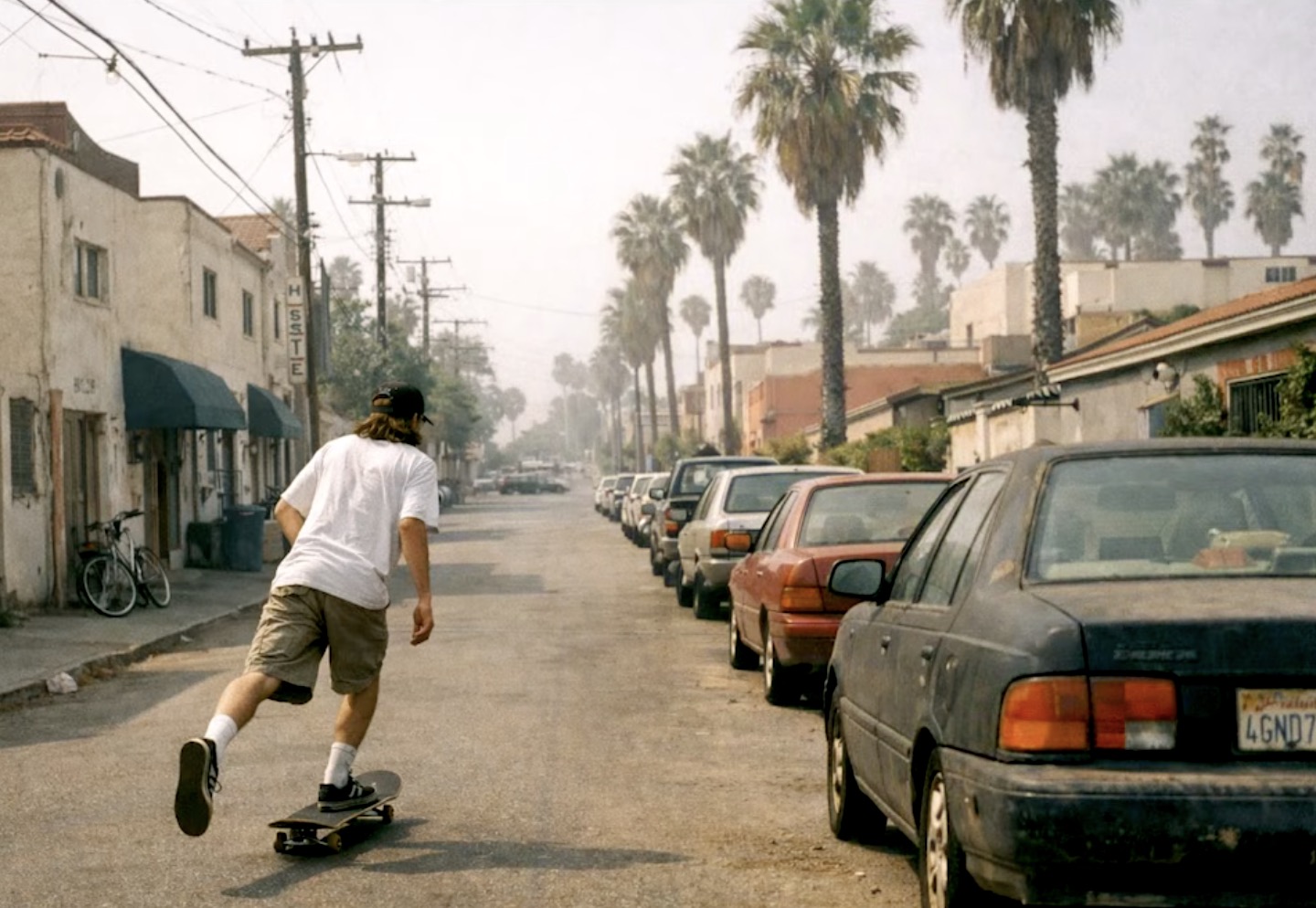
Skateboarder in Venice Beach
Image-to-Image Editing
The next step demonstrates image-to-image editing. When the original image is uploaded with a new prompt: “Put a winter coat on the man skateboarding and make it look like it just snowed,” the model accurately modifies the image, adding a winter coat to the skateboarder and depicting a snowy environment while preserving the other elements of the scene.
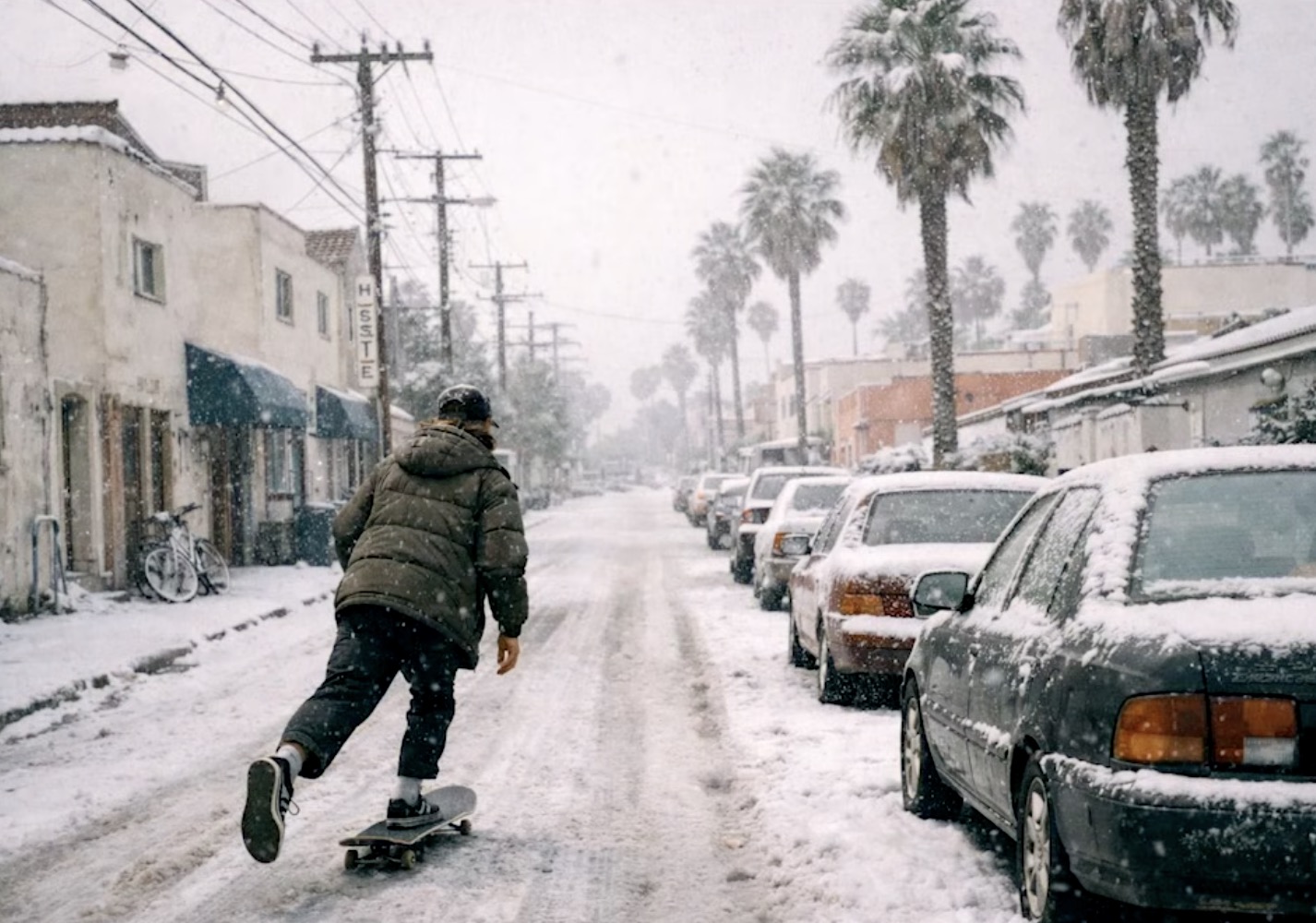
Skateboarder in Winter Coat
Iterative Refinement
The transformation continues with another prompt: “Add an enormous winter yeti far away in the distance in the sky.” GPT Image 1.5 successfully integrates the yeti into the background. Through iterative refinement with the prompt “Make the yeti even bigger,” the result becomes more impactful and visually striking.
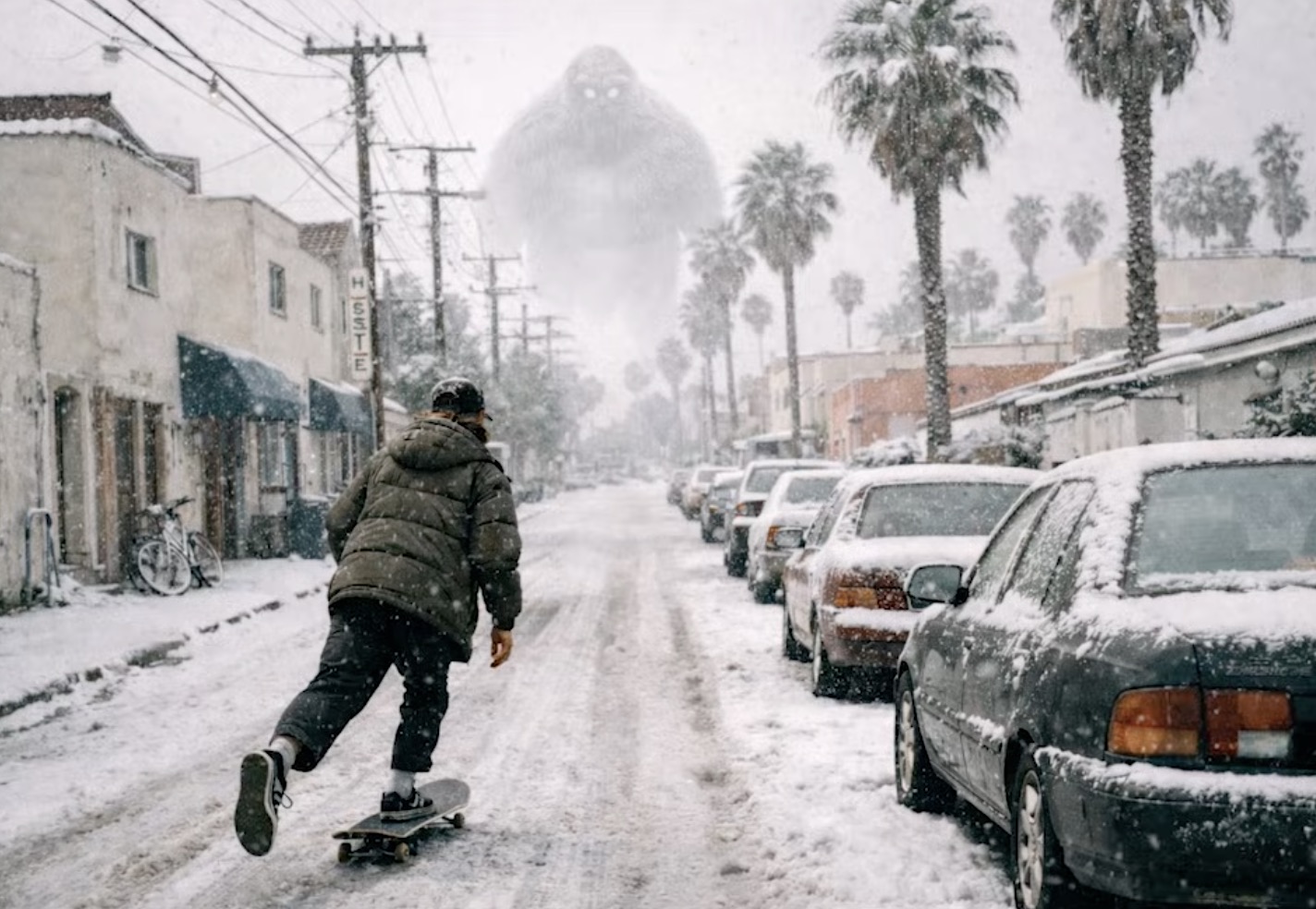
Skateboarder with Yeti in the Sky
This demonstration highlights the model's ability to maintain consistency across multiple iterations. Each modification seamlessly integrates into the existing image, demonstrating the power of precision editing. It's worth noting that the more descriptive and detailed the prompts, the more accurate and desirable the results tend to be.
Instruction Following and Style Transfer
GPT Image 1.5 also excels in following detailed instructions and transferring styles. In another demonstration with a grid of dogs, highly specific instructions are tested. The prompt calls for a “4x4 grid” featuring different breeds in each row, specifying “golden retriever, Labrador retriever, German Shepherd, Siberian Husky” for row one and so on. The model precisely adheres to these instructions, generating a grid with 16 distinct and realistic dog images.
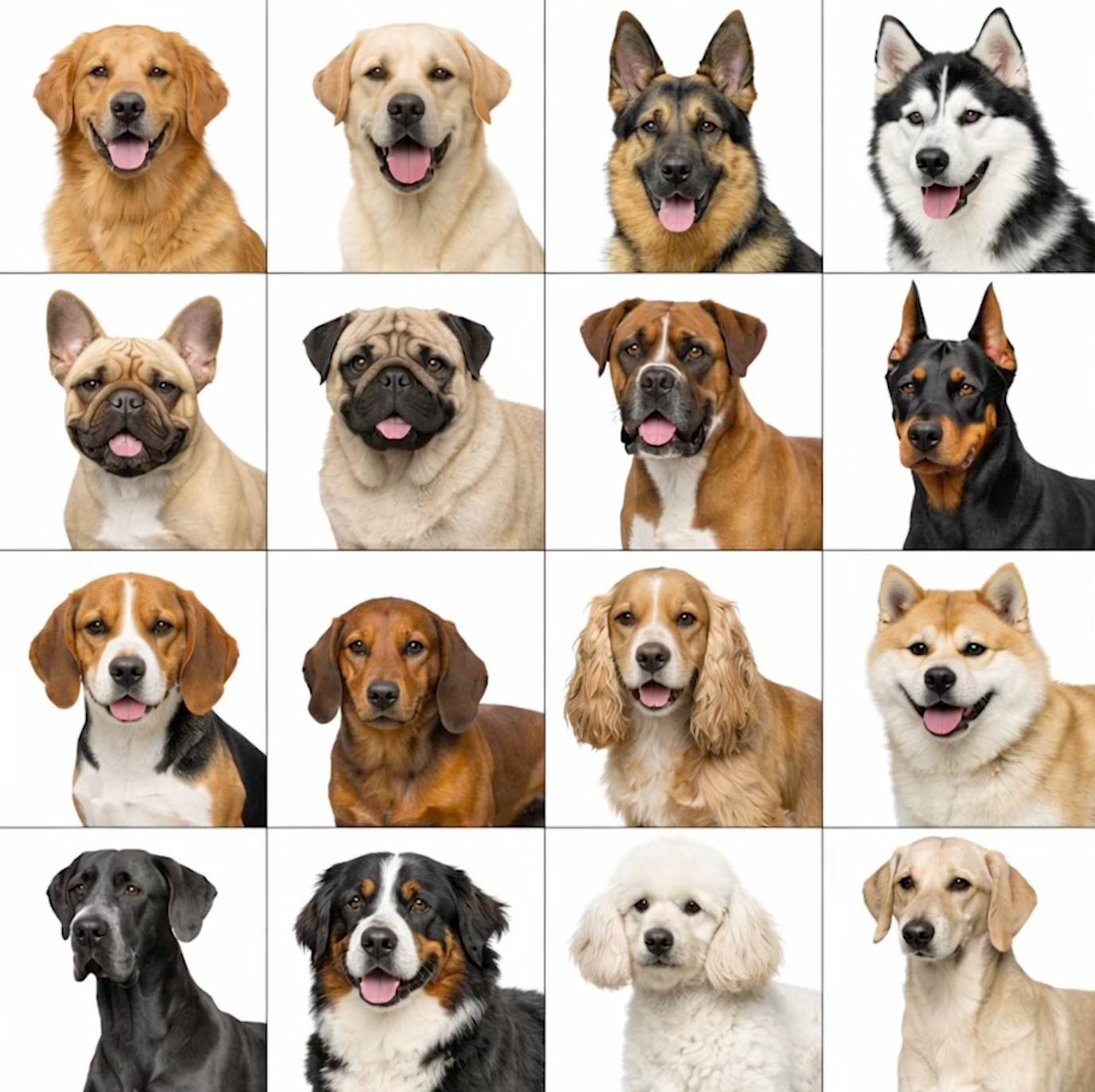
Dog Breed Grid
The demonstration then explores style transfer. Using the generated dog grid as a base, the prompt is modified to “Change the art style so that the dogs are Pixar style.” The model transforms the images to resemble Pixar characters while maintaining the grid structure and dog breeds. This process works equally well with “anime style” and “sketchbook style,” showcasing the model's versatility in adapting to different artistic styles.
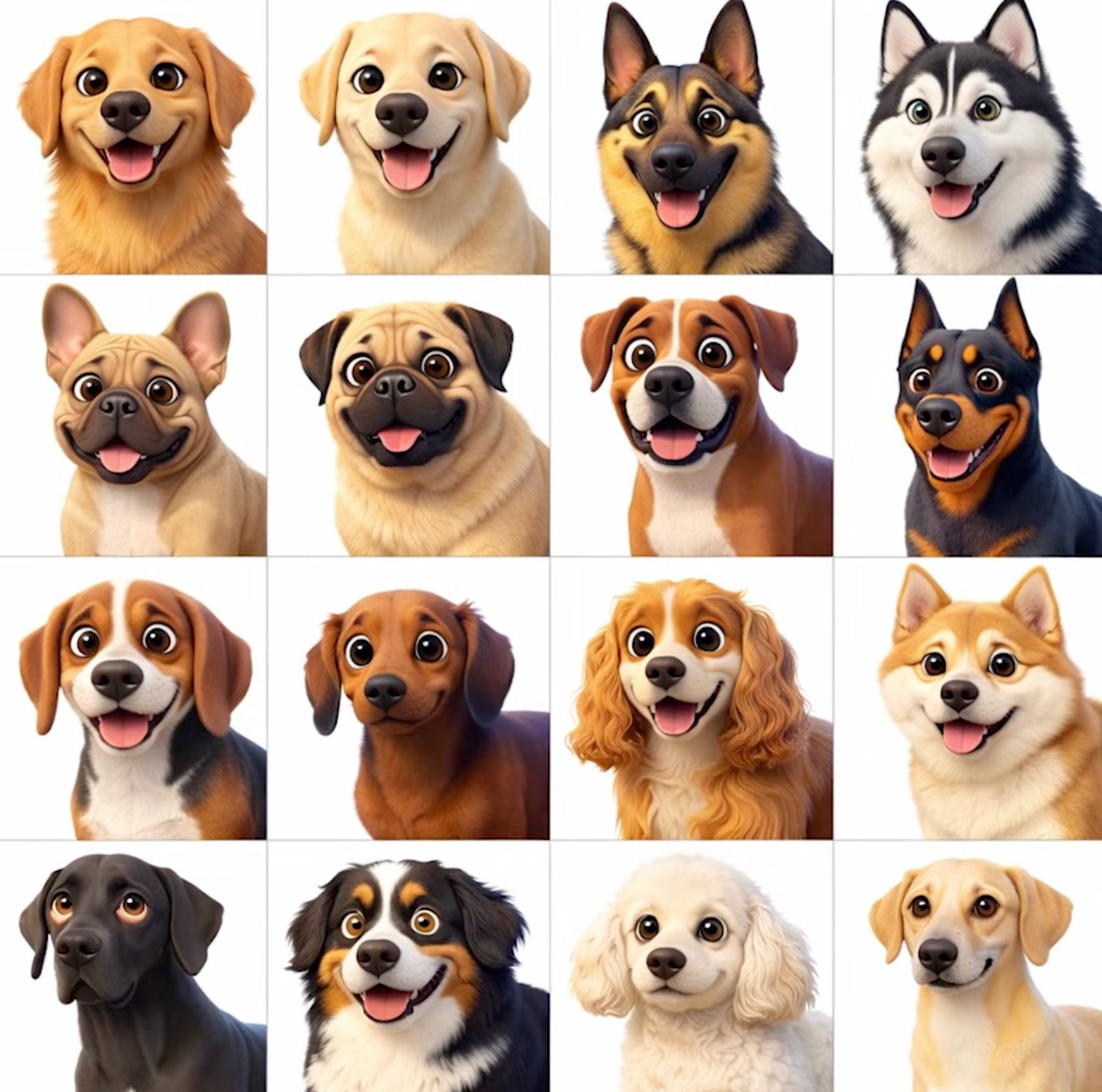
Dog Breed Grid - Pixar Style
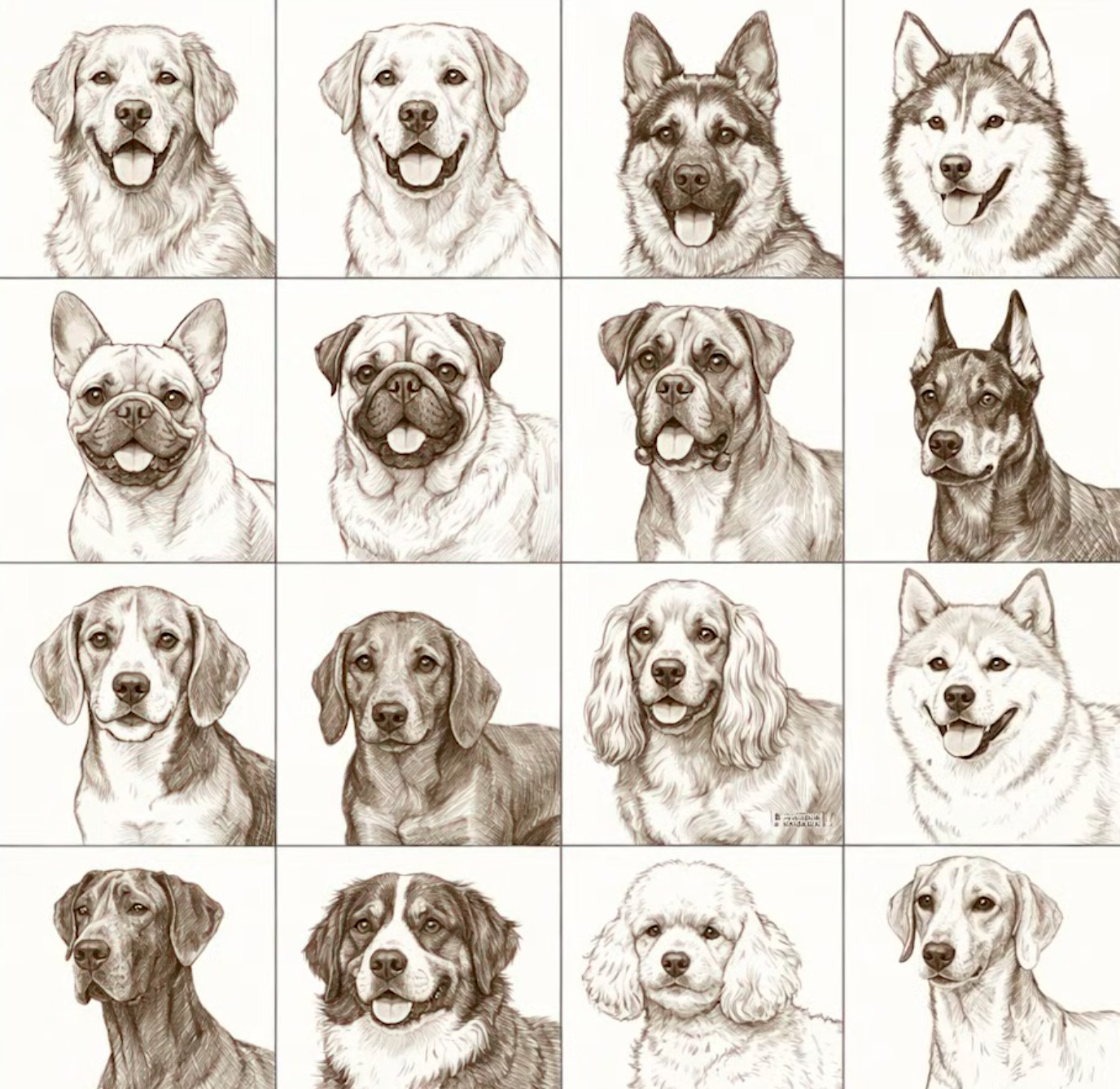
Dog Breed Grid - Sketchbook Style
It's worth noting that the instruction following capabilities of this new image generator are very impressive. The ability to accurately depict specific breeds in a grid format showcases a significant advancement in AI image generation.
Conclusion
OpenAI's GPT Image 1.5 represents a significant leap forward in AI image generation technology. Its precision editing, detail retention, and impressive speed make it a valuable tool for artists, designers, and anyone looking to create stunning visuals. Whether creating from scratch or editing existing images, GPT Image 1.5 offers a powerful and intuitive way to bring creative visions to life.
For those working with AI-generated images, tools like Low Quality Image provide complementary functionality. While GPT Image 1.5 excels at creating and editing images, Low Quality Image helps optimize them for web use, ensuring your AI-generated masterpieces are properly compressed and load quickly without sacrificing visual quality.