
How to Make Deep Fried Memes: Step-by-Step Guide (2026)
Learn how to make deep fried memes with 4 methods compared. From Photoshop to free browser tools — create perfectly crunchy, nuked memes in seconds.
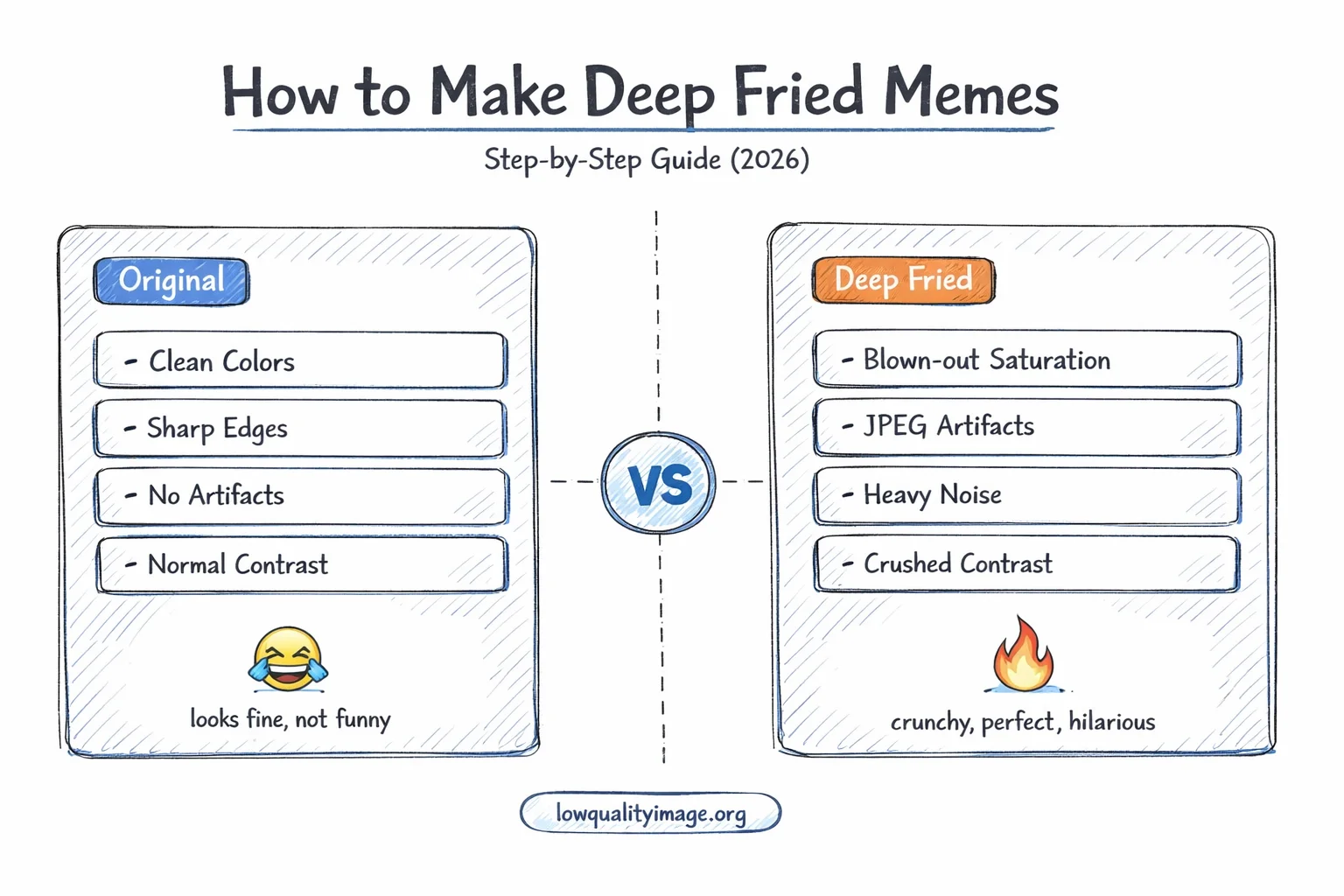
From normal to nuked: the art of deep frying memes
Deep fried memes are one of the most recognizable styles on the internet. The over-saturated colors, the crunchy JPEG artifacts, the blown-out contrast—it all comes together to create something that's so bad it's hilarious. But how do you actually make one?
In this guide, we'll walk through exactly what deep fried memes are, show you the fastest way to make them (no Photoshop required), and share the techniques that separate a lightly toasted meme from a fully nuked masterpiece.
What Is a Deep Fried Meme?
A deep fried meme is an image that has been intentionally degraded through extreme editing—cranked-up saturation, maxed-out contrast, heavy JPEG compression, and added noise. The result looks like the image was "deep fried" in a vat of digital oil.
The style originated around 2015-2016 on platforms like Reddit (r/DeepFriedMemes), Instagram, and Twitter. It started as a reaction to the increasingly polished, corporate feel of mainstream memes. Deep frying became a way to signal that a meme was organic, community-driven, and not trying too hard.
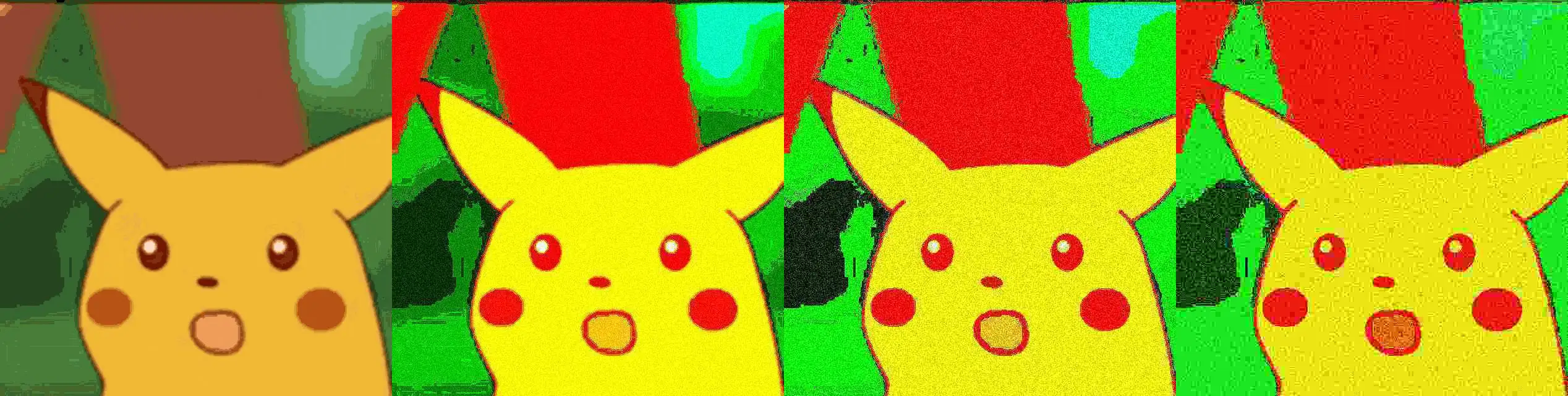
The spectrum of deep frying: from Light Fry to Nuked
The Deep Fry Spectrum
Not all deep fried memes are created equal. The community generally recognizes several levels of "doneness":
- Light Fry: Slightly boosted saturation and contrast. The image is still clearly readable but has that warm, crunchy tint.
- Medium Fry: Noticeable JPEG artifacts, vivid colors, and some grain. Text is still legible but the image has a distinct "cooked" look.
- Deep Fried: The classic. Heavy saturation, visible compression blocks, noise throughout. You can tell what the image is, but it looks like it survived a war.
- Nuked: Extreme degradation. Colors are blown out, details are barely visible, and the image looks like it was screenshotted 500 times. Text may be hard to read.
- Blackholed: You genuinely cannot tell what the original image was. It's just a mess of pixels and artifacts. Peak absurdist humor.
Why Do People Deep Fry Memes?
It might seem counterintuitive to intentionally destroy image quality. But deep fried memes serve several purposes in internet culture:
1. It's Funny Because It's Bad
There's a specific type of humor that comes from things being terrible on purpose. Deep fried memes tap into the same comedy vein as intentionally bad movies or absurdist art. The worse the image looks, the harder it hits.
2. It Signals "Don't Take This Seriously"
A deep fried meme tells the viewer: this is ironic. It's a visual cue that strips away any pretense of seriousness. Even a simple statement becomes absurd when it's deep fried.
3. It Mimics Organic Sharing
When a meme gets shared thousands of times across different platforms, it naturally degrades. Each save-and-reupload cycle adds compression artifacts. Deep frying artificially replicates this process, making a fresh meme look like a veteran of the internet wars.

Deep fried memes remain a staple across Reddit, Discord, and group chats
4. It's Part of a Larger Aesthetic Movement
Deep fried memes sit within a broader internet art movement that includes glitch art, vaporwave, and post-ironic humor. They challenge the idea that content needs to be polished to be valuable. In many online communities, the crunchier the better.
How to Make Deep Fried Memes: 4 Methods
Let's look at the actual techniques people use to deep fry memes, from manual editing to one-click tools.
Method 1: Photoshop / GIMP (Manual)
The traditional approach involves stacking multiple effects in an image editor:
- Crank up saturation — Push it to +80 or higher in Hue/Saturation
- Boost contrast — Use Brightness/Contrast or Curves to blow out the highlights and crush the blacks
- Add noise — Filter > Noise > Add Noise at 15-30%
- Apply a sharpening filter — Unsharp Mask at aggressive settings to enhance edges and artifacts
- Export as low-quality JPEG — Save at quality 10-20% to add those iconic compression blocks
- Repeat — Re-open the saved JPEG and repeat steps 1-5 for extra crunch
You get maximum creative control—every parameter is tweakable. But it takes 5-10 minutes per meme, requires expensive software (or learning GIMP), and the process is tedious if you just want a quick deep fry for your Discord server.
Method 2: Deep Fried Meme Apps
Several mobile apps specialize in making deep fried memes, such as Deep Fryer (iOS), Photo Editor Pro, or PicsArt. They typically offer one-tap filters with names like "Deep Fry" or "Nuke."
Convenient if you're on your phone. But most are ad-heavy, some add watermarks to free exports, and the quality of the "fry" effect varies wildly. Many also require you to create an account or pay for premium filters.
Method 3: The Screenshot Method
The OG deep fried meme technique: screenshot your meme, open the screenshot, screenshot it again. Repeat 10-20 times. Each cycle adds compression artifacts naturally.
This method is iconic but painfully slow. You'll spend 5+ minutes screenshotting, you get zero control over the result, and your camera roll fills up with 20 identical-looking images. It also only adds compression artifacts—you miss the saturation boost and color shift that define a true deep fried meme.
Method 4: Browser-Based Deep Fry Tool (Recommended)
The fastest option: our Deep Fried Meme Generator does everything in your browser. Upload an image, adjust the fry level, and download. The entire process takes about 5 seconds.
Here's what it does under the hood:
- Saturation boost: Colors get pushed way past natural levels
- Contrast cranking: Highlights blown out, shadows crushed
- JPEG compression: Aggressive quality reduction that creates those signature blocky artifacts
- Noise injection: Digital grain layered on top for extra crunch
The key feature is stackable frying. Hit "Fry Again" to apply the effect on top of itself. Each pass degrades the image further, letting you go from light fry to nuked to blackholed.
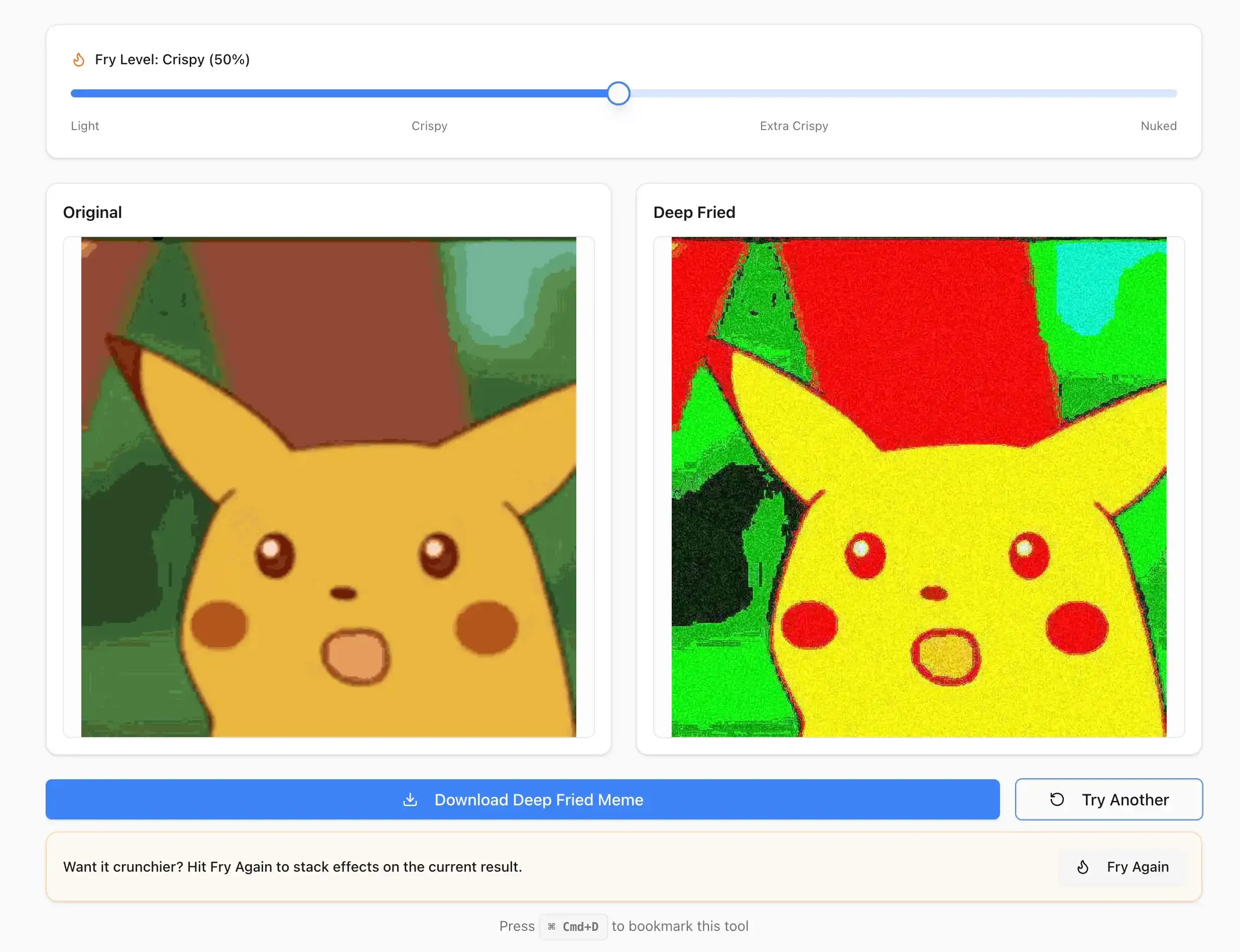
Making deep fried memes in seconds—the entire process in one screen
And since everything runs in your browser, your images never leave your device. No sign-up, no watermark, works on phone and desktop.
Step-by-Step: Make Your First Deep Fried Meme
Here's the quickest path from a normal image to a deep fried masterpiece:
Step 1: Pick Your Source Image
Any image works for deep fried memes, but some fry better than others. The best source images have:
- Bold text or captions — Text becomes hilariously distorted when deep fried
- Faces or recognizable subjects — The contrast between a familiar face and extreme degradation is part of the humor
- Already-existing meme templates — Deep frying a classic meme adds a new layer of irony
- Screenshots of social media posts — Tweets, texts, and DMs are popular targets
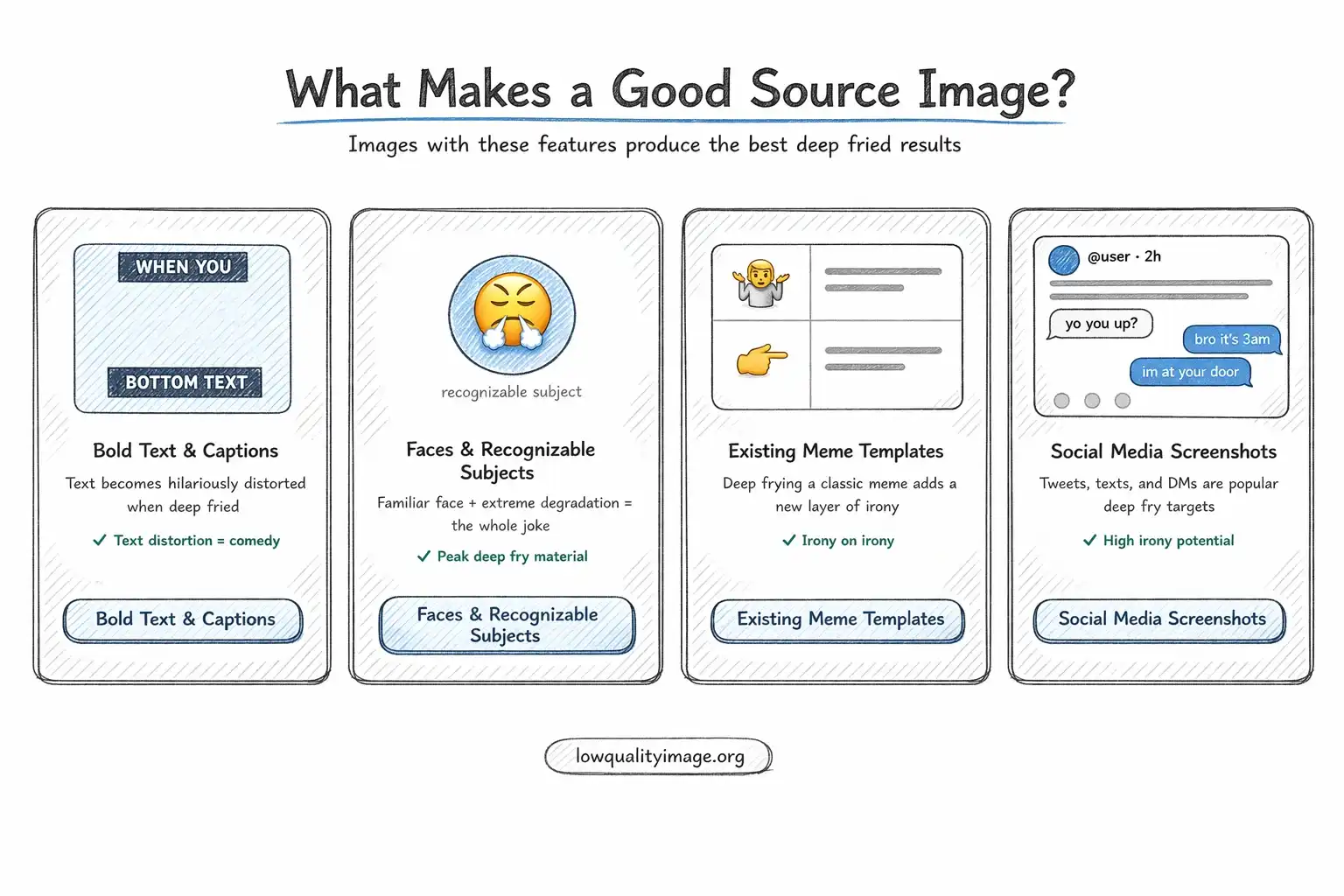
These types of images produce the best deep fried results
Step 2: Upload and Fry
Go to the Deep Fried Meme Generator, drag your image in (or tap to select on mobile). The tool instantly applies the deep fry effect with the default fry level.
Step 3: Dial In the Fry Level
Use the slider to control intensity. Here's a rough guide:
| Fry Level | Look | Best For |
|---|---|---|
| Light (1-3) | Slightly warm and crunchy | Subtle humor, reaction images |
| Medium (4-6) | Clearly fried, vivid colors | Classic deep fried memes |
| High (7-8) | Heavy artifacts, blown-out colors | r/DeepFriedMemes style |
| Max (9-10) | Barely recognizable | Nuked/blackholed absurdist memes |
Step 4: Stack for Extra Crunch (Optional)
Hit Fry Again to apply the effect on top of itself. This is how you go from "deep fried" to "nuked." Each press compounds the degradation. Two or three rounds at medium fry level produces a satisfying crunch. Five or more rounds at max level enters blackhole territory.
Step 5: Download and Share
Hit Download. No watermark, no sign-up. Your deep fried meme is ready to post on Reddit, Discord, Twitter, Instagram, or wherever you share.
Pro Tips for Better Deep Fried Memes
Start with High Resolution
Starting with a high-resolution source image gives you more room to degrade. A 1080p image deep fried to 50% quality still looks intentionally crunchy. A 240p image deep fried just looks like a bad photo.
Add Emojis Before Frying
Classic deep fried meme accessories include the crying laughing emoji, 100 emoji, B emoji, and fire emoji. Add these to your image before deep frying so they get degraded along with everything else. Crisp emojis on a fried background look wrong.
Use the Lens Flare (If You Can)
A red or white lens flare on someone's eyes is a deep fried meme signature. Add it in any photo editor before frying. The deep fry process will blend it naturally into the chaos.
Match the Fry Level to the Joke
A subtle, dry joke works better with a light fry. An absurd, nonsensical caption deserves full nuclear treatment. The fry level should amplify the humor, not fight it.
Don't Overdo the Text
Deep frying makes text harder to read. If your meme relies on readable text, keep the fry level moderate. If the unreadability is the joke, go nuclear.
Where to Share Deep Fried Memes
Some platforms are more receptive to deep fried memes than others:
| Platform | Community | Notes |
|---|---|---|
| r/DeepFriedMemes, r/nukedmemes, r/MemeEconomy | The original home of deep fried memes | |
| Discord | Meme channels in most servers | Perfect for quick sharing in group chats |
| Twitter/X | Meme accounts, quote tweets | Deep fried quote tweets are an art form |
| Meme pages, Stories | Stories format works well for quick fried content | |
| TikTok | Comment sections, duets | Deep fried stills used as reaction images |
Deep Fried Memes: A Brief History
Understanding the history helps you make better memes. Here's how we got here:
2015-2016: The Origin
The first intentionally deep fried memes appeared on Instagram and Reddit. Early examples were often stock photos or simple meme templates with extreme saturation and JPEG artifacts applied. The subreddit r/DeepFriedMemes was created in 2016 and quickly became the central hub.
2017-2018: Peak Deep Fry
This was the golden age. Deep fried memes went mainstream. The style evolved to include lens flares, the B emoji replacing random letters, and increasingly absurd captions. "Nuked" and "blackholed" memes emerged as people pushed the concept to its extreme.
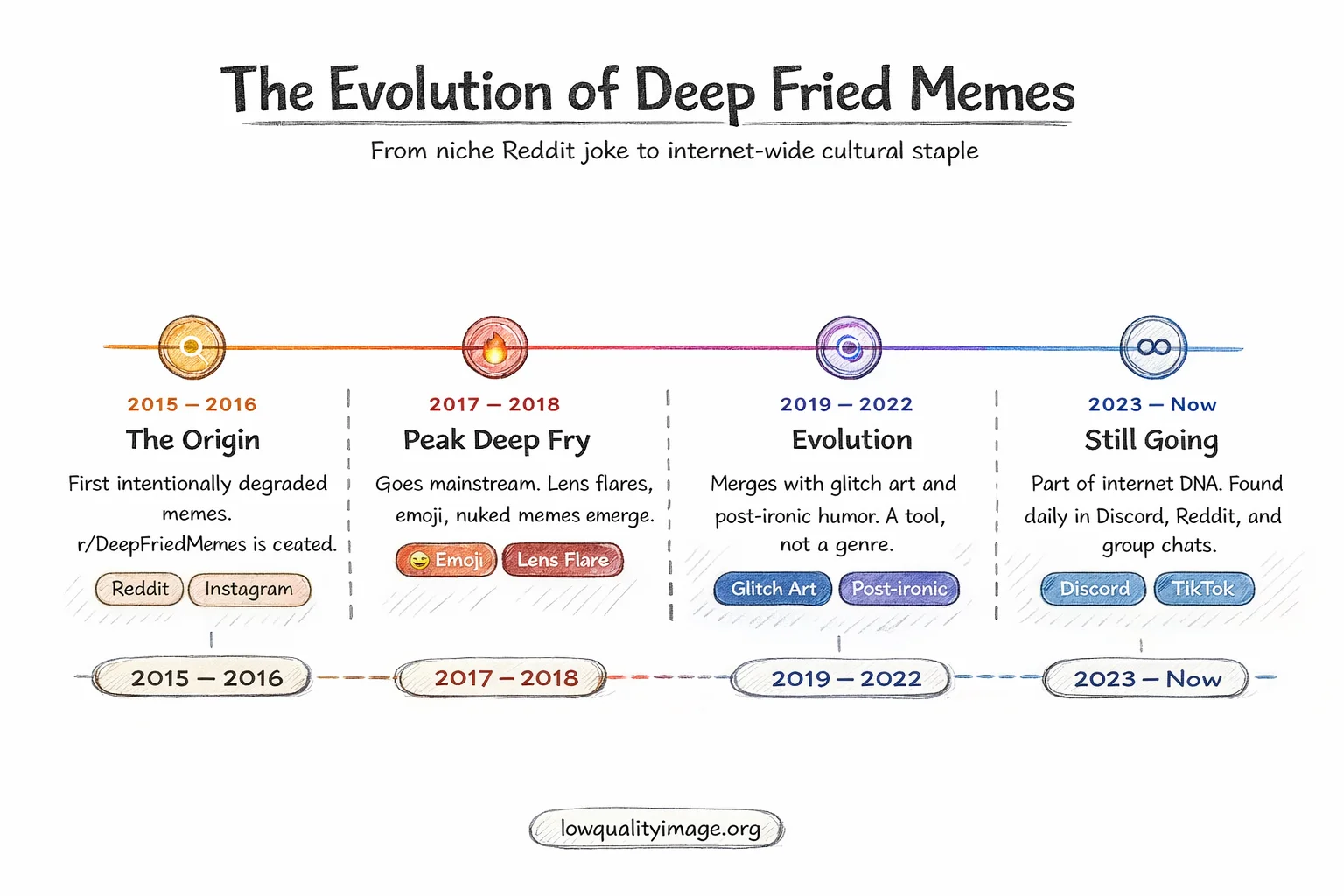
The evolution of deep fried memes: 2015 to today
2019-2022: Evolution
The style matured. Deep frying became just one tool in the meme creator's toolkit rather than a standalone format. It started blending with other styles—deep fried memes with vaporwave elements, deep fried TikTok screenshots, deep fried tweet threads.
2023-Present: Still Going Strong
Deep fried memes never died—they just became part of the furniture. You'll find them daily in Discord servers, Reddit threads, and group chats. The style has been absorbed into general internet humor rather than existing as a separate genre.
Common Deep Fried Meme Mistakes to Avoid
Frying Already-Low-Quality Images
Starting with a blurry, low-resolution image doesn't give you a deep fried look—it just gives you a worse blurry image. Start with something clean and let the deep fry process add the degradation.
Only Adding Saturation
A common beginner mistake is just cranking saturation and calling it deep fried. Real deep frying combines saturation, contrast, JPEG compression, AND noise. Missing any of these makes the result feel incomplete.
Ignoring Composition
Deep fried memes still need to be funny. No amount of frying can save a bad joke. Focus on the humor first, then apply the deep fry effect to enhance it.
Make Your First Deep Fried Meme Now
You now know everything about deep fried memes—the theory, the history, and the techniques. Time to put it into practice.
The fastest way to get started: open our Deep Fried Meme Generator, drop in any image, and start frying. It works on your phone or desktop, takes about 5 seconds, and your images never leave your device. No sign-up, no watermark, no app to install.
Start with a medium fry level to get a feel for the effect, then experiment with stacking and higher intensities. Before you know it, you'll be producing content worthy of r/DeepFriedMemes.
Ready to Compress Your Images?
Try our free online image compression tool. All processing happens in your browser - fast, private, and easy to use.
Related Articles
How to Resize a PNG Online Without Losing Transparency
Resize a PNG online in three steps. Change exact pixel dimensions, keep the aspect ratio and transparent background, then download for free.
How to Make a Circular Profile Picture for Any Social Platform
Make a circular profile picture for Instagram, Discord, TikTok, YouTube, and more. Crop safely and download a transparent PNG for free.
Make an Instagram 3×3 Grid From One Photo (Without the Order Coming Out Backward)
Split one photo into a 3×3 Instagram grid the right way: prep the aspect ratio, use live grid lines, and post in reverse order so the mosaic does not scramble.